

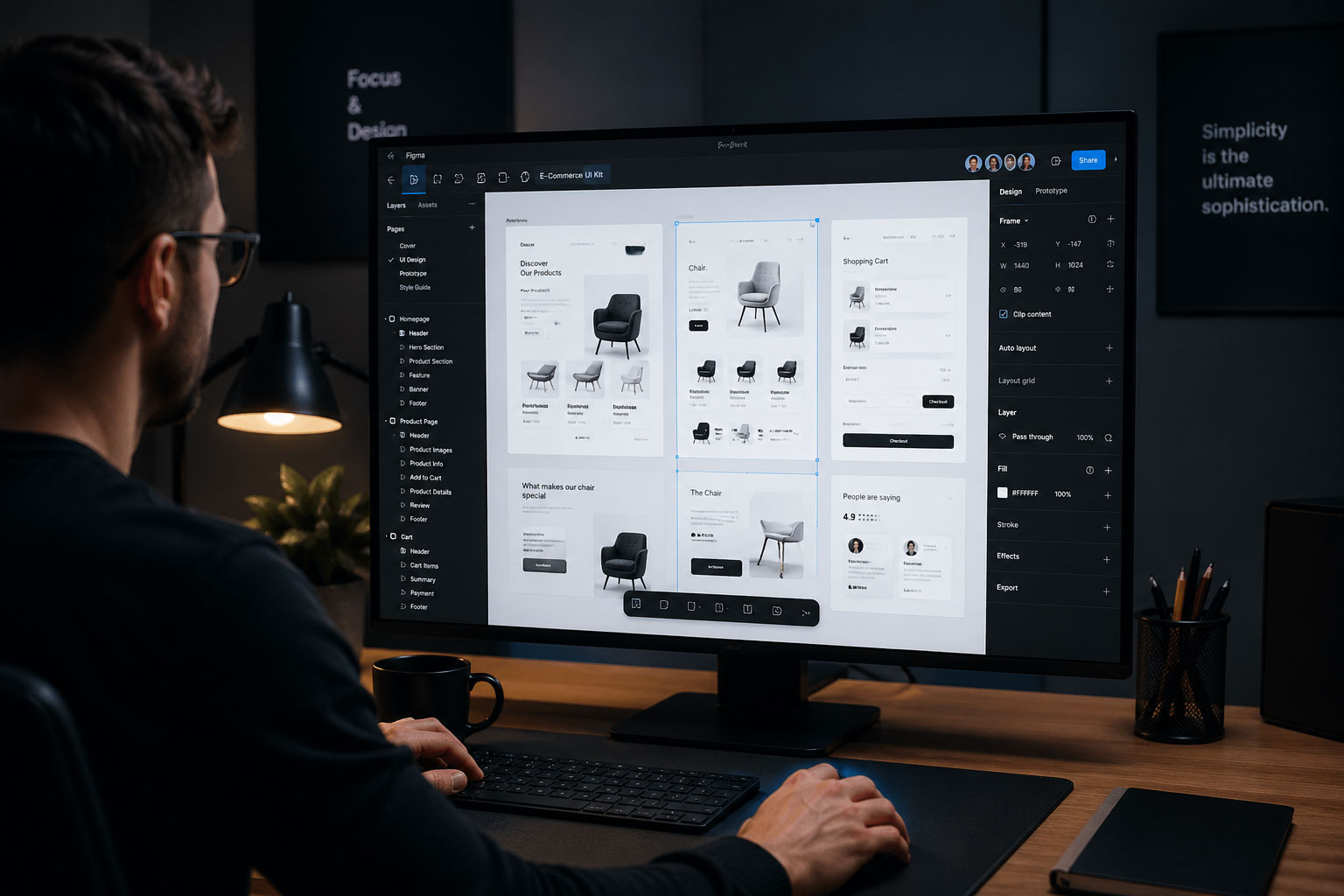
Figma Design Services | Modern UI/UX for Web & Mobile
The way designers and developers work together has changed a lot in recent years. Figma Design Tools have become smarter, faster, and more collaborative. However, one tool has truly stood out above the rest — and that tool is Figma.
Figma design has quickly become the industry standard for UI/UX design. It is not just a design tool. It is a complete workspace where ideas turn into real, interactive, and functional products. Whether you are building a website, a mobile app, or a SaaS platform, Figma brings your vision to life in a structured and professional way.
At UDM, we use Figma at the core of our design process. We believe great digital products start with great design. Moreover, great design starts with the right tools and the right team behind them. Our designers combine technical skill with creative thinking to deliver interfaces that are both beautiful and easy to use.
In today’s competitive digital space, users form an opinion about your product within seconds. Therefore, your design needs to be clear, intuitive, and visually appealing from the very first interaction. A strong UI/UX design does not just look good — it drives engagement, reduces bounce rates, and improves conversions.
In addition, businesses that invest in professional design services see measurable results. Users stay longer, click more, and trust the brand more. That is why companies around the world are choosing Figma-powered design workflows — and why UDM uses it to deliver results for every client.
This article will walk you through everything you need to know about Figma design — what it is, how it works, why it matters, and how UDM can help you build better digital experiences.
What Is Figma and Why Does It Matter
Figma is a cloud-based design and prototyping tool. Designers use it to create wireframes, UI layouts, interactive prototypes, and complete design systems. Unlike older tools, Figma runs entirely in the browser. This means teams can collaborate in real time, from anywhere in the world.
Moreover, Figma removes the barrier between design and development. Developers can inspect design files directly, copy CSS values, and download assets — all without needing a designer present. This speeds up the handoff process significantly.
Therefore, companies that use Figma in their workflow see faster project delivery and fewer miscommunications between teams. It keeps everyone on the same page, literally and figuratively.
Key Features That Make Figma Design Powerful
Figma comes packed with features that make it the preferred tool for professional UI/UX designers. However, what truly sets it apart is how all these features work together seamlessly.
Real-Time Collaboration
Multiple designers, developers, and stakeholders can work on the same file at the same time. In addition, they can leave comments, track changes, and review updates without switching platforms. This eliminates email chains and confusion.
Component-Based Design
Figma allows designers to build reusable components. For example, a button, a card, or a navigation bar — once designed, it can be reused and updated across the entire project. Therefore, changes are consistent and faster to implement.
Auto Layout
This feature makes designs responsive automatically. When you resize a frame, the content adjusts intelligently. As a result, designers can build flexible layouts that work across multiple screen sizes without extra effort.
Prototyping and Interactions
With Figma, designers can create clickable prototypes that feel like real apps. Stakeholders can test the user flow before a single line of code is written. This saves time and reduces costly revisions during development.
Design Systems and Shared Libraries
Large teams benefit greatly from Figma’s shared library feature. Design tokens, color styles, typography, and icon sets can all be stored and shared across projects. Moreover, updates to the library reflect instantly across all connected files.
How UDM Uses Figma Design in Every Project
At UDM, we follow a structured design process that starts in Figma and ends with a polished, developer-ready product. Each phase is intentional, focused, and aligned with your business goals.
Discovery and Research
Before we open Figma, we listen. We take time to understand your users, your brand, your competitors, and your goals. This research shapes every design decision we make. In addition, it ensures the final product actually solves a real problem.
Wireframing and Information Architecture
We begin with low-fidelity wireframes. These are simple layouts that map out the structure of each screen. Therefore, we can test the flow and logic before adding any visual design. This step saves time and avoids costly redesigns later.
UI Design
Once the structure is approved, we move into high-fidelity Figma design. This is where your product starts to look and feel real. We apply your brand colors, typography, icons, and imagery to create a polished visual experience.
Moreover, we design with accessibility in mind. Every contrast ratio, font size, and touch target is checked against standard accessibility guidelines. This ensures your product works for everyone.
Interactive Prototyping
After the UI design is complete, we build a fully interactive prototype inside Figma. You can click through every screen, test every user flow, and experience the product before development begins. As a result, you approve designs with full confidence.
Developer Handoff
Finally, we prepare a clean, well-organized Figma file for your development team. All components are named correctly, spacing is precise, and every asset is export-ready. In addition, we provide documentation to guide developers through the design system.
Figma Design for Web vs. Mobile — Understanding the Difference
Many clients ask whether web design and mobile app design are the same. The answer is no — and understanding the difference is important.
Web Design in Figma
Web design focuses on desktop and responsive layouts. Designers work with wider screen sizes, multi-column grids, and hover interactions. However, they also need to think about how the design collapses on smaller screens.
In Figma, we use responsive frames and auto layout to ensure the design scales gracefully from desktop to tablet to mobile. Therefore, your website looks great on every device without requiring separate design files.
Mobile App Design in Figma
Mobile design focuses on small screens, touch interactions, and native platform conventions. For example, iOS and Android have different design patterns — different navigation bars, button sizes, and gesture behaviors.
At UDM, our designers are familiar with Apple’s Human Interface Guidelines and Google’s Material Design principles. Therefore, we create mobile interfaces that feel native and intuitive on both platforms.
In addition, Figma’s device frame feature allows us to preview designs inside actual phone frames. This helps clients visualize the final product more accurately during review sessions.
Why Businesses Choose UDM for Figma Design Services
There are many design agencies out there. However, UDM brings something different to the table — a combination of strategic thinking, technical skill, and creative excellence.
We Design for Results, Not Just Looks
A beautiful design means nothing if it does not convert. Therefore, we base every design decision on user behavior, business goals, and industry best practices. Our designs are built to perform.
We Communicate Clearly and Consistently
We keep clients informed at every stage. Moreover, we use Figma’s comment feature to gather feedback directly on the design, making revisions fast and organized. There are no surprises.
We Deliver on Time
We respect your deadlines. Our structured process and use of Figma’s collaborative features allow us to move fast without sacrificing quality. In addition, our experienced team handles projects of all sizes — from landing pages to full enterprise platforms.
We Offer End-to-End Digital Services
At UDM, design is just one part of what we do. We also offer web development, digital marketing, SEO, and branding services. Therefore, you can get everything under one roof — with a consistent strategy across every channel.
The Role of Design Systems in Scalable Figma Design
As products grow, maintaining visual consistency becomes a real challenge. That is where a design system becomes essential.
A design system is a collection of reusable components, guidelines, and standards that govern how a product looks and behaves. In Figma, design systems live as shared component libraries that every team member can access.
At UDM, we build custom design systems for clients who need scalable solutions. For example, if you plan to launch multiple products or expand your platform over time, a design system ensures everything stays consistent — even as your team grows.
Moreover, design systems speed up future design work dramatically. New screens and features can be assembled using existing components. Therefore, updates and new launches take less time and cost less money.
In addition, design systems reduce friction during developer handoff. When components are clearly documented and consistently named, developers can build faster and with fewer errors.
User Experience Principles That Guide Our Figma Design Work
Good design is not just about aesthetics. It is about how something works, how easy it is to use, and how it makes the user feel.
At UDM, we follow core UX principles in every Figma project we take on.
Clarity Over Cleverness
We avoid overly complex layouts or hidden navigation. Users should never have to guess what to do next. Therefore, we design with clear visual hierarchy, obvious calls to action, and simple language.
Consistency Builds Trust
When buttons look the same, colors follow a system, and spacing is consistent, users trust the product more. Moreover, consistency reduces cognitive load — users learn the interface faster and feel more comfortable.
Speed and Performance
Great UI/UX considers loading speed and performance from the start. Therefore, we design with lightweight assets and efficient layouts that do not slow down the final product.
Feedback and Microinteractions
Small design details — like a button changing color on hover or a loading animation — tell users that the system is responding. In addition, these microinteractions make the product feel alive and professional.
Industries UDM Serves With Figma Design
Our Figma design services are not limited to one industry. We work with clients across a wide range of sectors.
Moreover, we support SaaS companies that need scalable design systems for complex dashboards.
We also help startups bring their first product to market. In addition, we assist established businesses that want to modernize their digital presence. No matter the industry, our approach remains the same — research, design, test, and deliver.
What to Expect When You Work With UDM on a Figma Project
Working with UDM is a smooth and transparent experience from start to finish.
First, we start with a discovery call. We learn about your project, your goals, and your timeline. After that, we provide a detailed proposal that covers scope, deliverables, and pricing.
Once the project begins, we keep you involved at every step. You review wireframes before we move to full design. Moreover, you test the interactive prototype before we hand off files to your developers.
We also offer revision rounds to ensure the final design meets your expectations. In addition, after delivery, we remain available for any design support you may need going forward.
Final Thoughts on Choosing the Right Figma Design Partner
Figma design has redefined how digital products are built. It brings speed, collaboration, and precision to every stage of the design process. However, the tool is only as powerful as the team using it.
At UDM, we do not just design screens — we build digital experiences that work. Every wireframe, every component, and every prototype we create is guided by strategy, creativity, and a deep understanding of your users. Moreover, our end-to-end services mean you never have to juggle multiple vendors or lose consistency across your digital presence.
Whether you are launching a new product, redesigning an existing platform, or scaling your brand digitally, UDM is ready to help. Therefore, if you are looking for a reliable, results-driven Figma design partner, the choice is clear.
Reach out to UDM today and let us turn your vision into a product your users will love.
If you want to get Our Services, visit our Contact Us page or message us directly on WhatsApp.
Because we believe in continuous growth, we have curated a selection of posts to help you master the digital world. Furthermore, visiting our Blog Page regularly will keep you updated on the latest industry shifts.
Frequently Asked Questions
Q1. What is Figma design and why is it used for UI/UX projects? Figma design is a cloud-based design tool used to create user interfaces, interactive prototypes, and design systems. It is widely used because it supports real-time collaboration, works across platforms, and streamlines the handoff between designers and developers. As a result, teams can build and deliver digital products faster and more efficiently.
Q2. How long does a Figma design project take at UDM? The timeline depends on the size and complexity of the project. A simple landing page design may take one to two weeks. However, a full mobile app or web platform with a design system can take four to eight weeks. At UDM, we provide a clear timeline upfront so you always know what to expect.
Q3. Can UDM handle both web and mobile app design in Figma? Yes, absolutely. UDM offers professional Figma design services for both web and mobile platforms. Moreover, our designers follow platform-specific guidelines — including iOS and Android standards — to ensure every interface feels native, intuitive, and polished on any device.


Harshil
May 14, 2026 - 6:07 pmKeep up the great work! Thank you so much for sharing a great post.